
Cybersecurity: Less "Mission Impossible"
My wife, Nancy, who works at Lakeview Hospital in Stillwater (part of the HealthPartners system), forwarded me a memo from her workplace recently and suggested I share it with all of you. Even though she's in healthcare and I’m in real estate, the advice she sent over is universal.
When most of us picture a cyber-attack, we imagine something out of a movie heist: elaborate plans, laser grids, and sophisticated tactics used by talented thieves. But as Nancy’s newsletter pointed out, the reality is much less glamorous. Many major cybersecurity events don't start with a hacker in a hoodie; they begin with a simple message sent to an unsuspecting person.
Since we handle sensitive information in real estate, I thought I’d pass along this "vocabulary lesson" from her team on how fraudsters operate—and how to stop them.-----The "Ph" Dictionary: Understanding Fraud Tactics
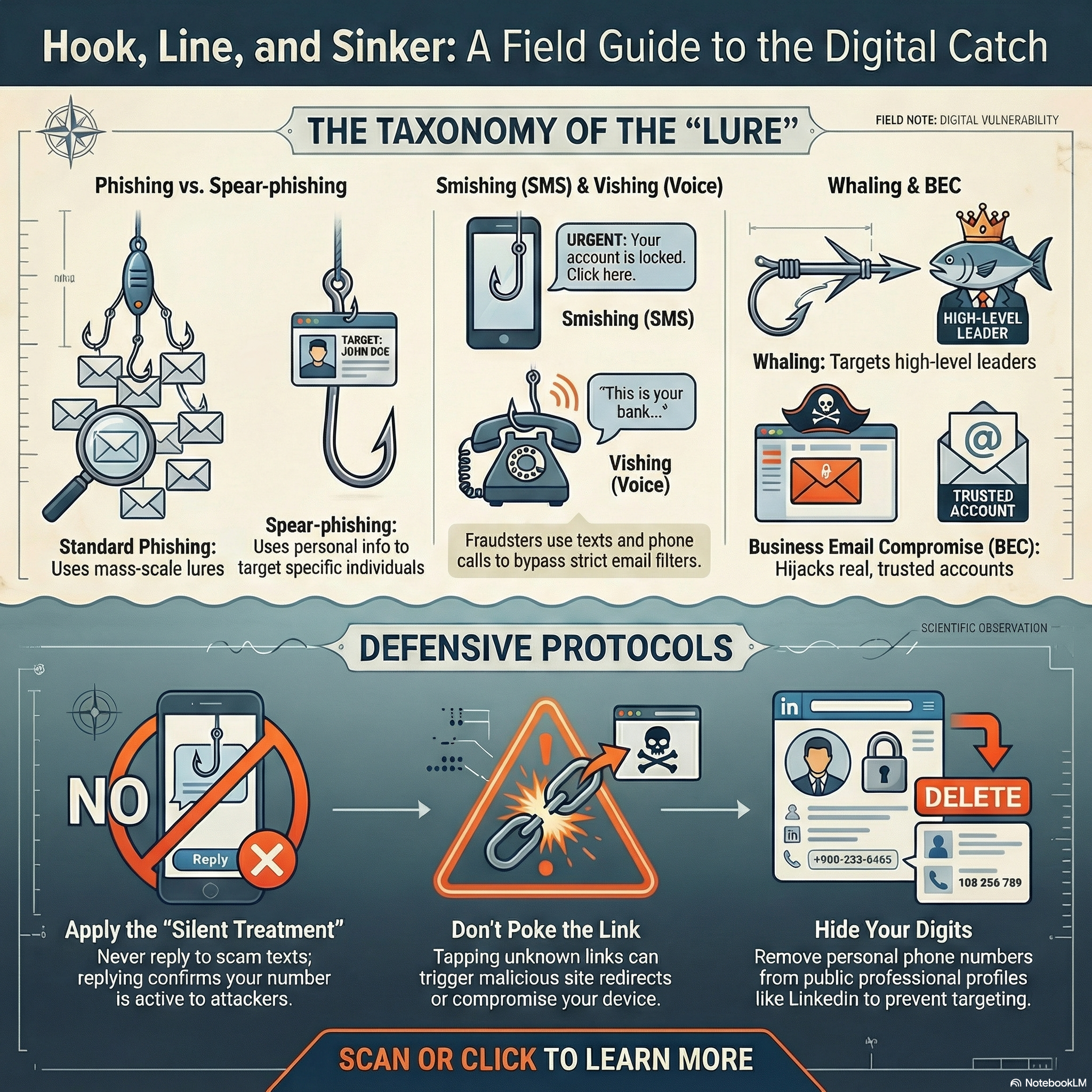
Phishing: The Classic Scam. Throwing a hook into your inbox to see if you bite. General phishing emails were the leading cause of major cybersecurity incidents last year.
Spear-phishing: Highly Targeted Scam. Targeted at a specific person using unique, personal information. They might impersonate a business you know to trick you.
Smishing: SMS Phishing. Scammers text you because text messages often bypass strict email filters.
Vishing: Voice Phishing. Fraudsters call you posing as the IRS, your bank, or another familiar agency.
Whaling: Executive Target. "Big game hunting," specifically targeting prominent organizational leaders to catch a "big one."
Business Email Compromise: The Sneaky Takeover. Cybercriminals hijack a real email account from someone you actually know. Harder to spot because the source is trusted.-----How to Protect Your Digital House
Nancy’s memo included some great tips on how to handle these rising threats, especially text messages. Here is how you can stay safe:
- Treat Strangers Like… Strangers.
- Approach the unknown with uncertainty. If a text isn't in your contacts list, scrutinize it.
- Even if the message claims to be from a leader or someone you know, you can't trust that information by itself.
- Don’t Poke the Link.
- Avoid tapping links or attachments in texts.
- They can lead to malicious websites designed to collect your confidential info or cause problems for your phone.
- The "Silent Treatment" is the Best Treatment.
- It is very tempting to reply to a scam text with "STOP" or a few colorful words. Don't do it.
- Replying just tells the sender that your phone number is active, which can actually lead to receiving moreunwanted texts.
- Hide Your Digits.
- Cybercriminals can connect your phone number to your place of employment and organizational leaders.
- Avoid listing your personal number on social media sites like LinkedIn.
- Let Your Phone Play Bouncer (Filter Unknown Senders).
- You can filter these messages out automatically.
- iPhone Users:Go to Settings > Apps > Messages. Look for "Unknown Senders" and select "Screen Unknown Senders" to move those texts to a separate folder.
Android Users: Your phone likely already moves messages from unknown senders into Spam or Unknown folders automatically.
-----The bad guys are betting on volume, hoping that if they send enough messages, someone will click. Stay skeptical, keep your data safe, and big thanks to Nancy for the tip!

"My job is to find and attract mastery-based agents to the office, protect the culture, and make sure everyone is happy! "